A blog header has a job that most beautiful images fail at: it has to carry a headline. Put the subject in the middle of a 16:9 frame and there is nowhere for the title to go that is not on top of something.
So the useful question is not "what looks good". It is "where is the text going, and is that area quiet enough to read over".
Build it, simplify it, then move it
Round 1 — get the scene
Wide overhead photograph of a tidy wooden desk: an open notebook, a pen, a ceramic coffee cup and the edge of a laptop, neutral tones, soft daylight
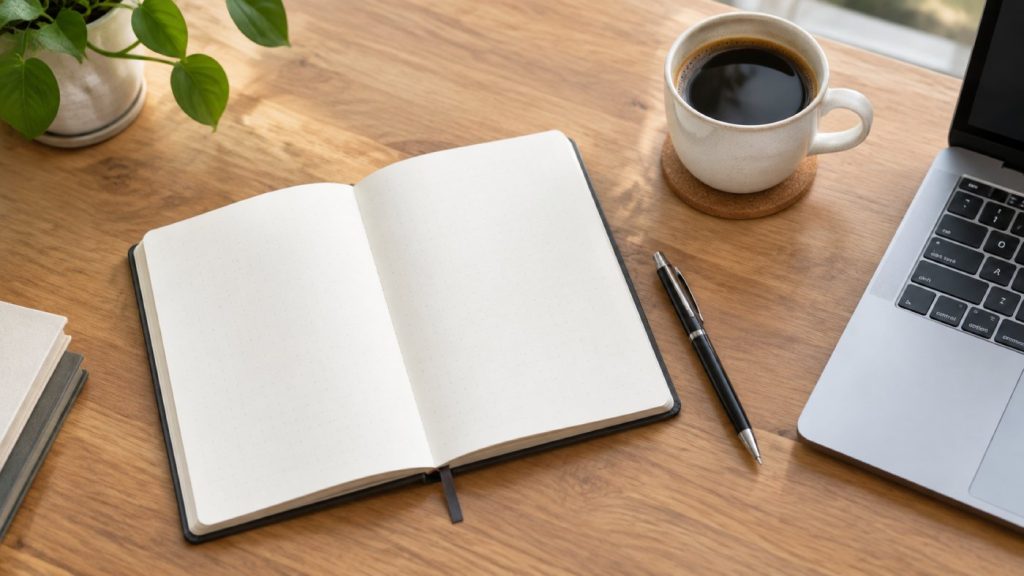
A perfectly decent stock-looking desk. As a header it is unusable: objects run edge to edge, and every part of the frame is competing for attention.
Round 2 — take things away
Simplify it — remove the laptop and the pen, leave more empty desk

Removal is the most under-used instruction in image work. Notice it is phrased as an edit — remove the laptop — which only means anything because the model can see the previous frame. Written as a fresh prompt, "a desk without a laptop" is a strange sentence that often produces a desk with a laptop.
Round 3 — clear the corner you need
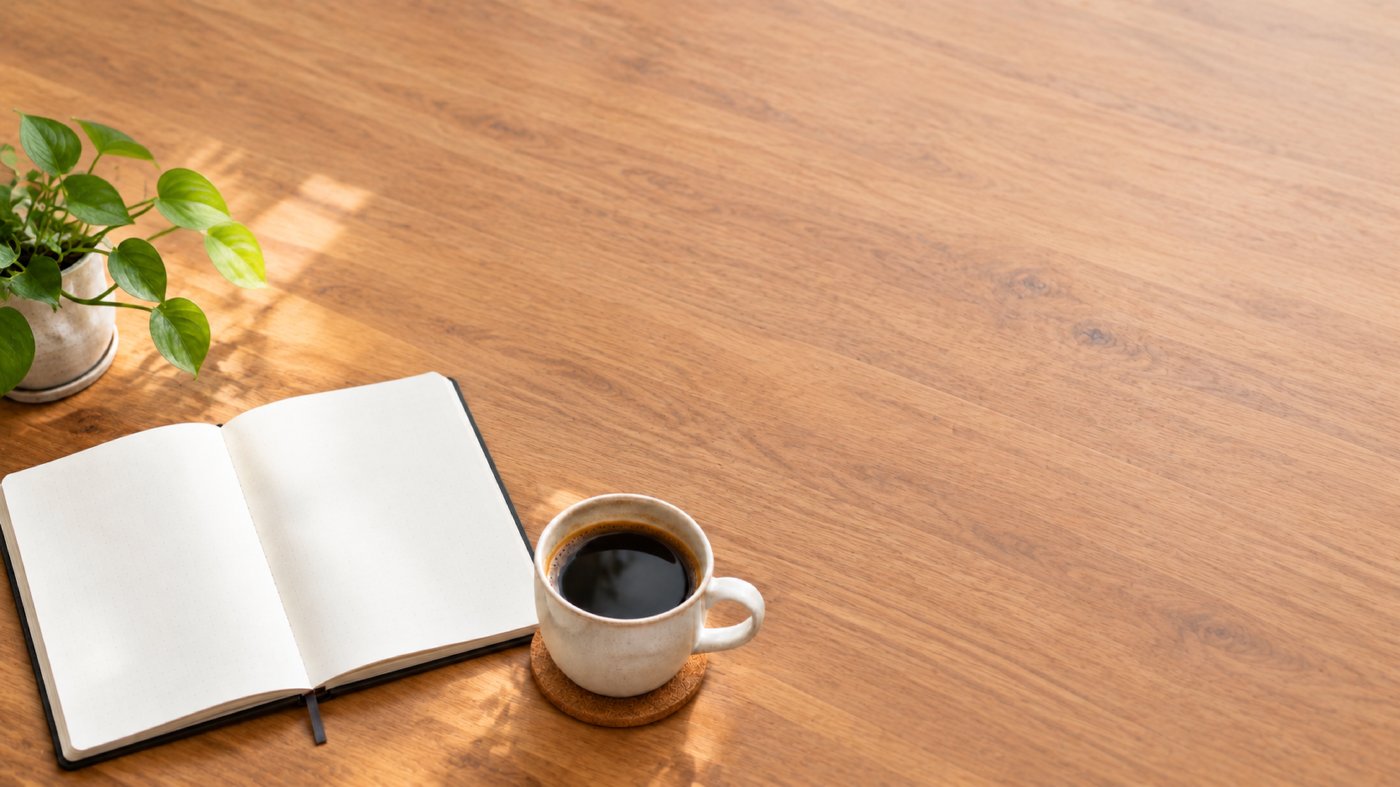
Shift everything to the bottom left and leave the top right empty

Now there is a home for the headline. Do this last: simplifying after repositioning undoes the composition you just set.
Do not bake the text into the image
Modern image models can render text well — we tested that separately and it held up. You should still keep your headline out of the picture, for three reasons that have nothing to do with whether the model can spell:
- You will change the headline. Copy gets rewritten after the image is signed off, every time.
- The image gets reused. The same header ends up on the social card, the newsletter and the category page, each wanting different words.
- Baked text cannot be translated. If your site runs in more than one language, a headline burned into a JPEG is a headline that only exists in one of them. This site runs in seven; every word you are reading is live text for exactly this reason.
Generate the space. Put the words on top in HTML or in your design tool.
What the model does not know
It does not know your brand. Not your typeface, not your palette, not the fact that your headings are always left-aligned at 72px. It is producing a photograph, not a layout, and the gap between those two things is your job.
Two practical consequences:
- Check contrast where the text will actually sit. "Empty" is not the same as "quiet". A blank area of bright wood grain will still fight white type. If it does, either ask for that region to be darker, or add a scrim in CSS — often the scrim is the honest answer.
- Decide the crop before you generate. The aspect ratio locks for the whole conversation, deliberately, so a later round cannot reframe what you have built. If you need a 16:9 header and a 1:1 social card, that is two conversations, not one image cropped twice.
A short checklist
- Describe the scene once, in full.
- Remove things until it feels too empty.
- Push the subject to one side and name the area you want cleared.
- Drop your real headline on top and read it at mobile width before you sign it off.
Start with 300 free credits — no card required