There are two different things happening when an AI tool gives you a picture, and the difference decides whether you can ever correct it.
Text to image takes words and produces a picture. Every run starts from nothing. Image to image takes a picture and words, and produces a revised picture. The model can see what it made last time.
That sounds like a small distinction. It is the difference between editing and gambling.
The same sentence, two mechanisms
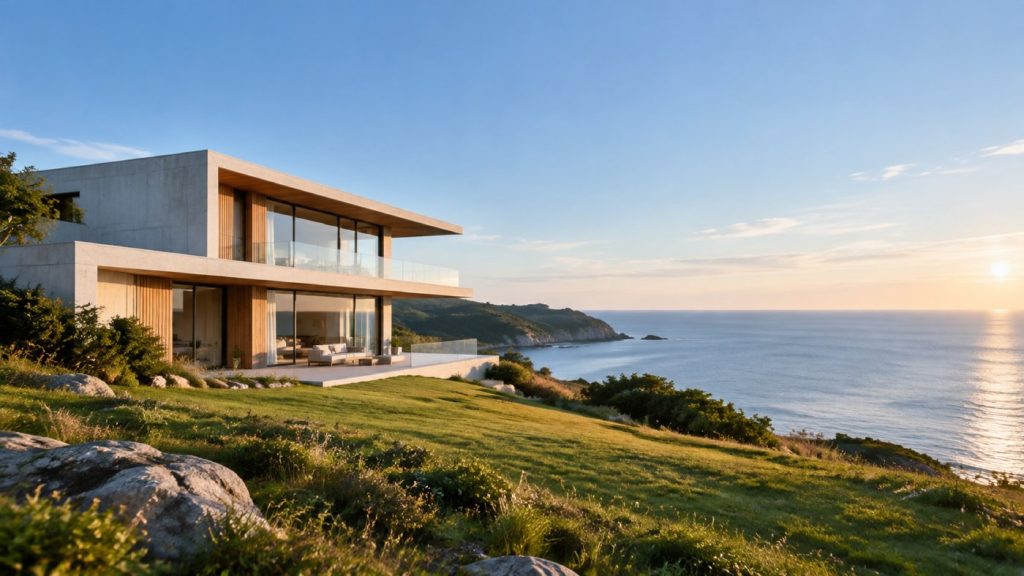
Here is one starting picture and one instruction — Make the sky a bit warmer, add some clouds — run twice. The words are identical. The only variable is whether the previous picture was handed back to the model.
Without the previous picture
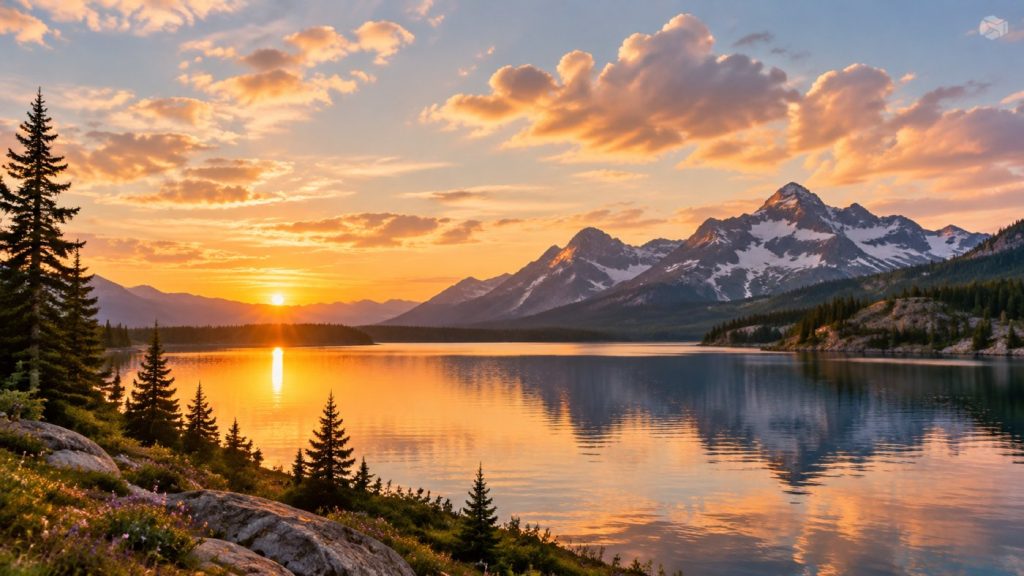
The house is gone. The coastline is gone. You asked for a warmer sky and received a different photograph that happens to have one. Nothing was edited, because there was nothing to edit — those seven words were the model’s entire input, so it drew the most plausible picture those seven words describe.
With the previous picture
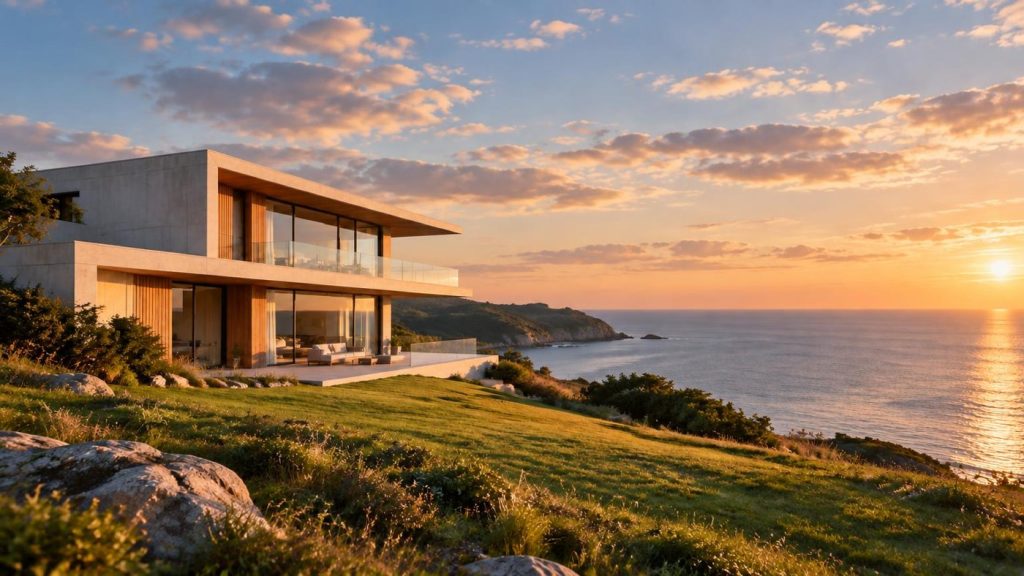
Same house. Same grass, same rocks in the foreground, same stretch of sea. The sky is warmer and there are clouds. That is an edit.
Everything you did not mention survived — and you did not have to mention it, which is the entire point. A text-only prompt has to re-specify every detail you want kept, and any detail you forget gets re-rolled.
Why this changes how you work
With text to image, the unit of work is the prompt. You write ninety words, get something eighty per cent right, and then face a bad choice: accept it, or edit the prompt and lose the eighty per cent you liked.
With image to image, the unit of work is the correction. Describe the scene once, properly. After that, every instruction is short and specific:
Put it on a wooden table insteadToo dark — brighten the whole sceneMove the camera closerLeave the right side empty for text
Each one changes one thing. Nothing else moves. You are converging rather than re-rolling.
What it is good for
- Getting to a brief. Art direction is a list of corrections. This is the only workflow that accepts them as corrections.
- Variants of one scene. Seasonal versions, different props, different light — all from one established base.
- Composition for real layouts. Opening up space for a headline works far better as a final adjustment than as an opening requirement.
- Starting from a photo you already have. Upload it as a reference image and the first round already contains your object rather than an invented one.
What it does not fix
Three honest limits, because they matter more than the advantages:
It is not a repair tool for a wrong idea. Refinement fixes images that are nearly right. If the setting, angle or mood is fundamentally wrong, a fresh opening prompt costs one round; six corrections cost six and usually end somewhere muddy. If two rounds in a row have not moved you forward, start over.
Rounds compound. Each one re-renders the whole picture, so small discrepancies accumulate. Four or five rounds deep and drifting, branch from an earlier round rather than pushing on.
It does not make the picture a photograph of your product. The house above does not exist. Generated images are fine for concepts, layouts, ads and social; they are not fine for depicting the specific item a customer is buying — that is misleading advertising in most countries and against the listing rules of most marketplaces. This boundary is not technical and no model release will move it.
How to run the loop
- Spend your effort on round one. It is the only place a long prompt pays for itself, because everything after inherits that frame.
- Change one thing per round. Two changes in one sentence and you cannot tell which instruction did what.
- Describe what you would see. “Long shadows and orange light” lands more reliably than “golden hour mood”.
- Do composition last. Moving the subject rearranges the frame; do it after the set and light are settled.
- Pick the aspect ratio before you start. It locks for the conversation, deliberately — so a later round cannot silently reframe what you built.
Worked examples
Each of these takes one image through a full correction sequence, with the exact instruction used at every step:
- How to make AI product photos that match your brief — four rounds on a product shot, ending with copy space for a headline.
- All workflow guides — the rest of the series, including common problems and the one-line fix for each.
Start with 300 free credits — no card required