Most of the time the first image is not wrong, it is close. The light is off, or the subject is too far away, or something in the background is pulling your eye. Those are four different problems and each one has a short instruction that fixes it without disturbing the rest.
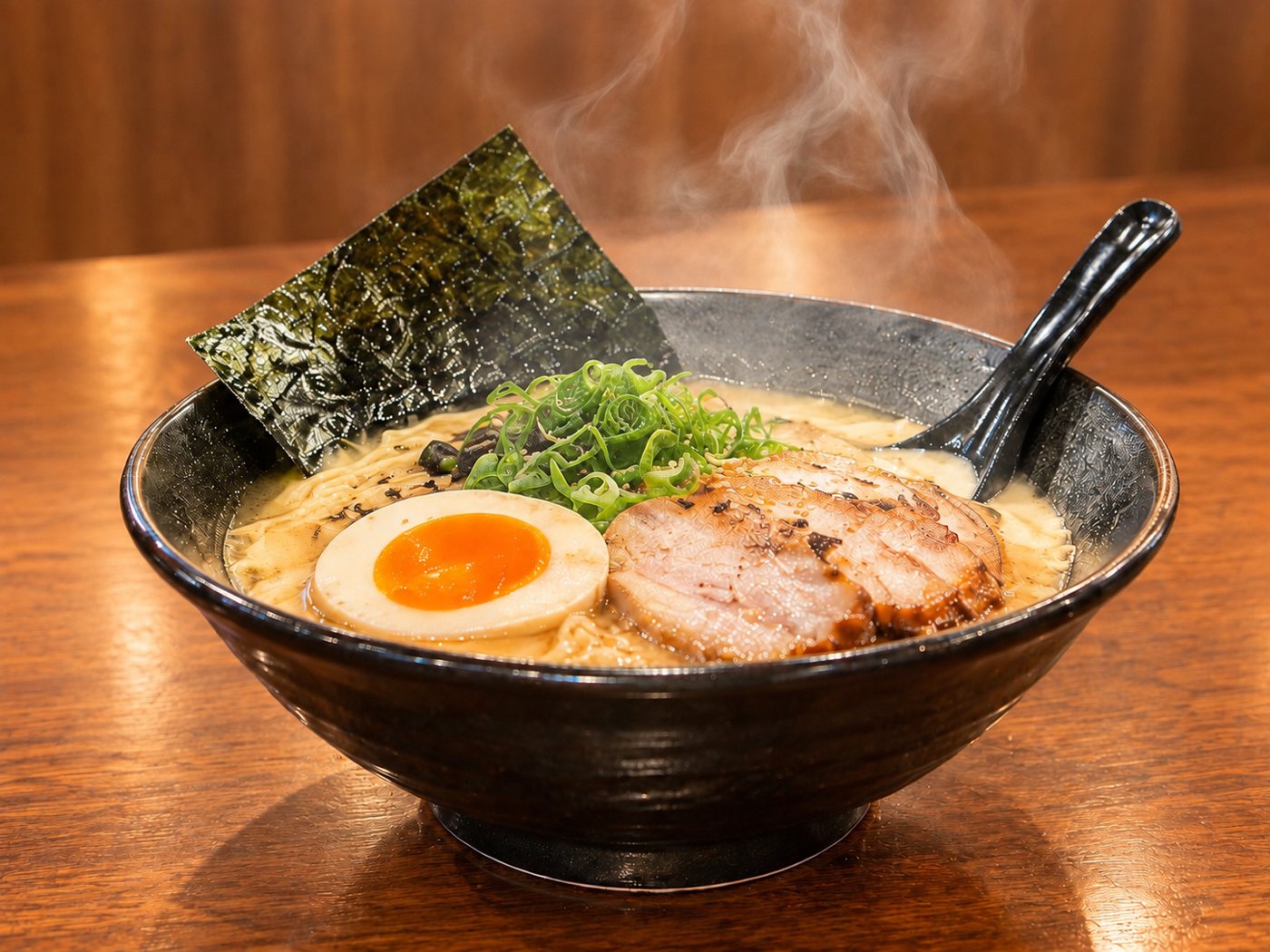
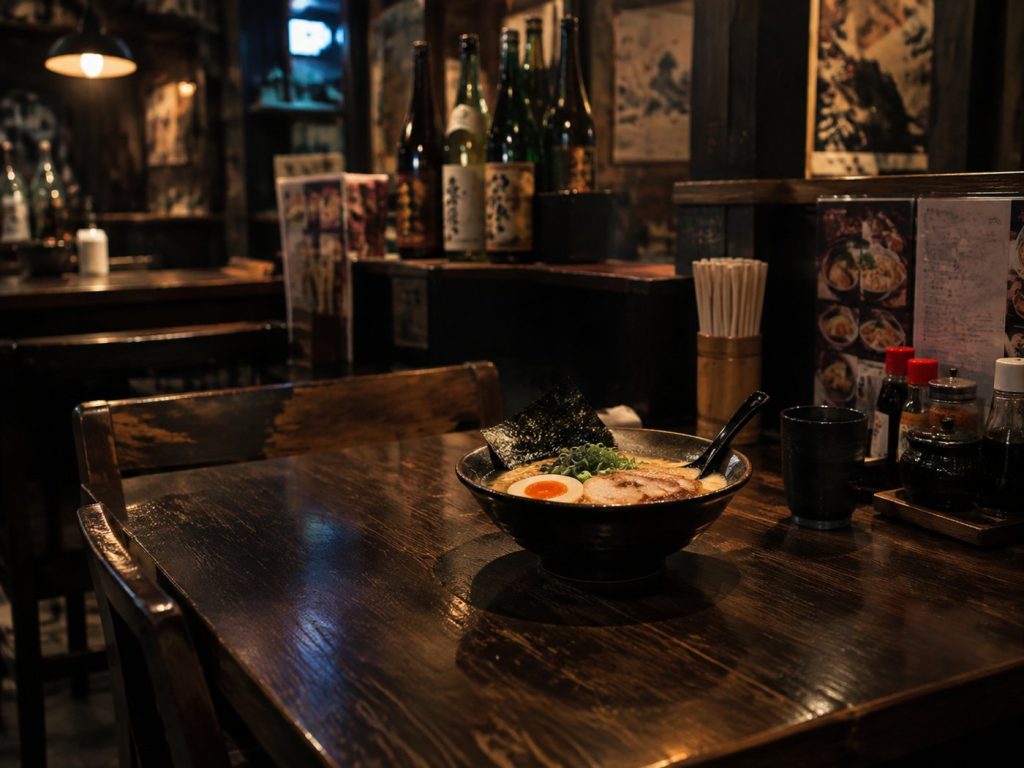
What follows is one image taken through four corrections. The opening prompt was deliberately mediocre — a dim, cluttered, wide shot — because that is what a first attempt often looks like.
1. Too dark
Too dark — brighten the whole scene

Say brighten, not expose it better or lift the shadows. Photographic vocabulary is compression for people who already share your references; plain physical description lands more consistently.
Note what did not change: the camera position, the table, the bottles on the shelf. One instruction, one effect — that is what editing image to image buys you.
2. The subject is too small
Move the camera closer so the bowl fills more of the frame
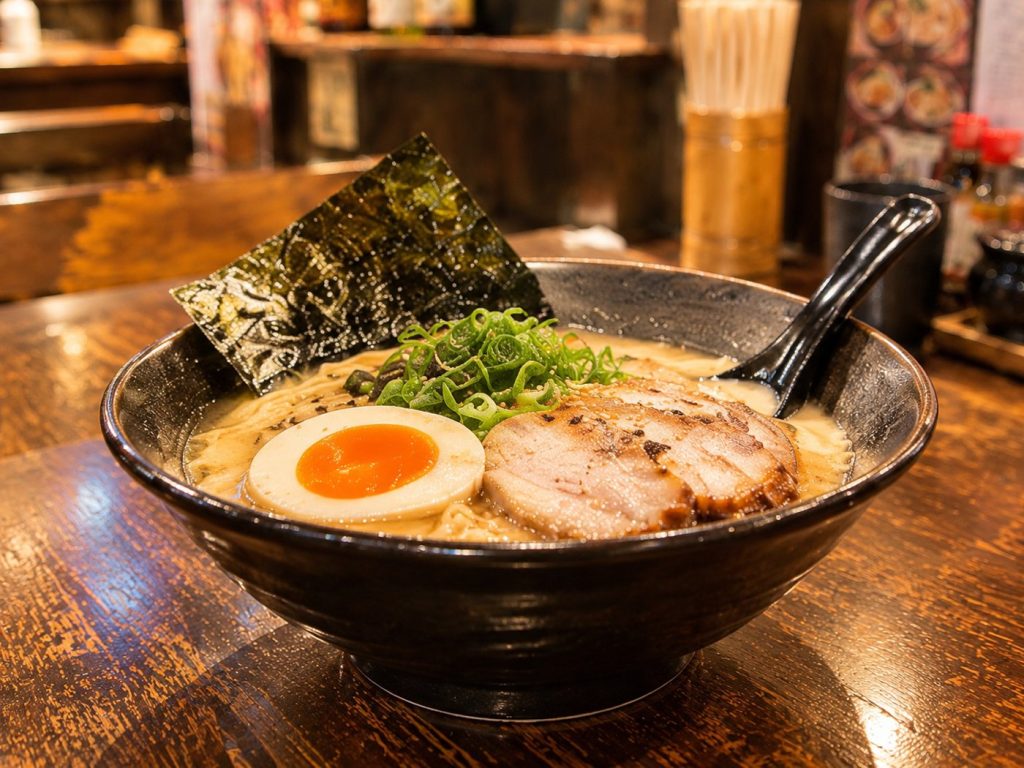
Framing instructions work better when they describe where the camera is rather than what you want cropped. "Zoom in" and "crop tighter" both suggest cutting the existing picture; "move the camera closer" asks for a photograph taken from a different place, which is what you actually want — you get the perspective change too.
3. The background is noisy
Clear the clutter in the background
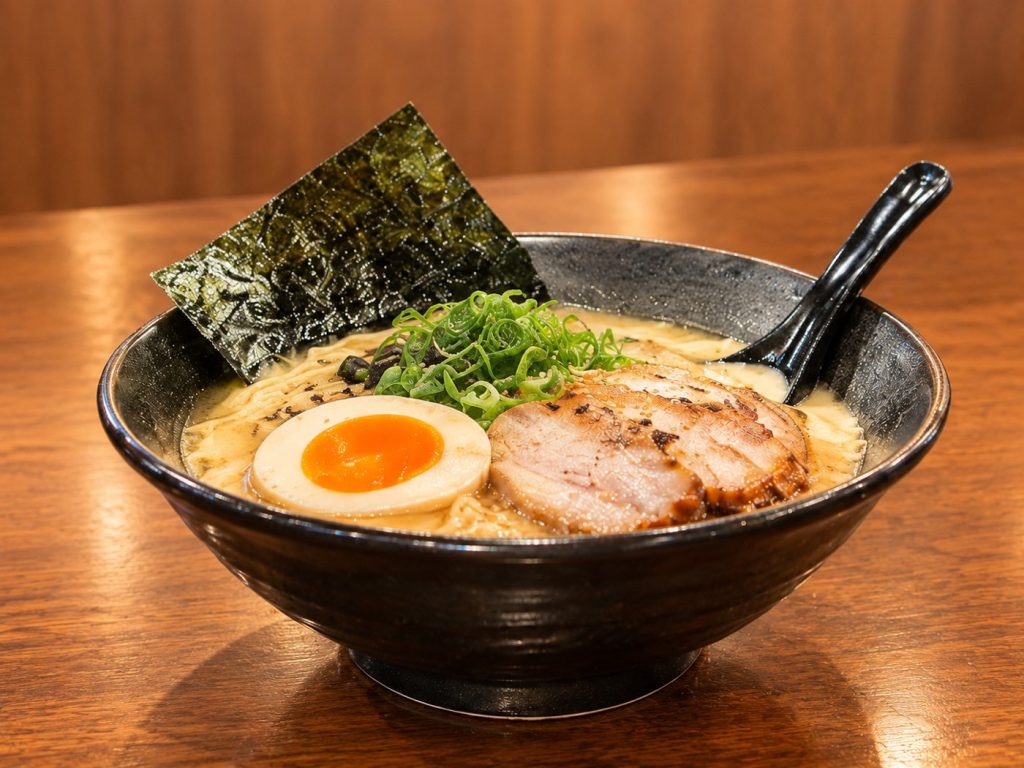
You can name the offenders if you know them ("remove the bottles and the menus"), but the general form works, and it works better than "blur the background" when what you want is fewer objects rather than softer ones.
4. The detail that sells it is missing
Make the steam rising from the bowl more visible
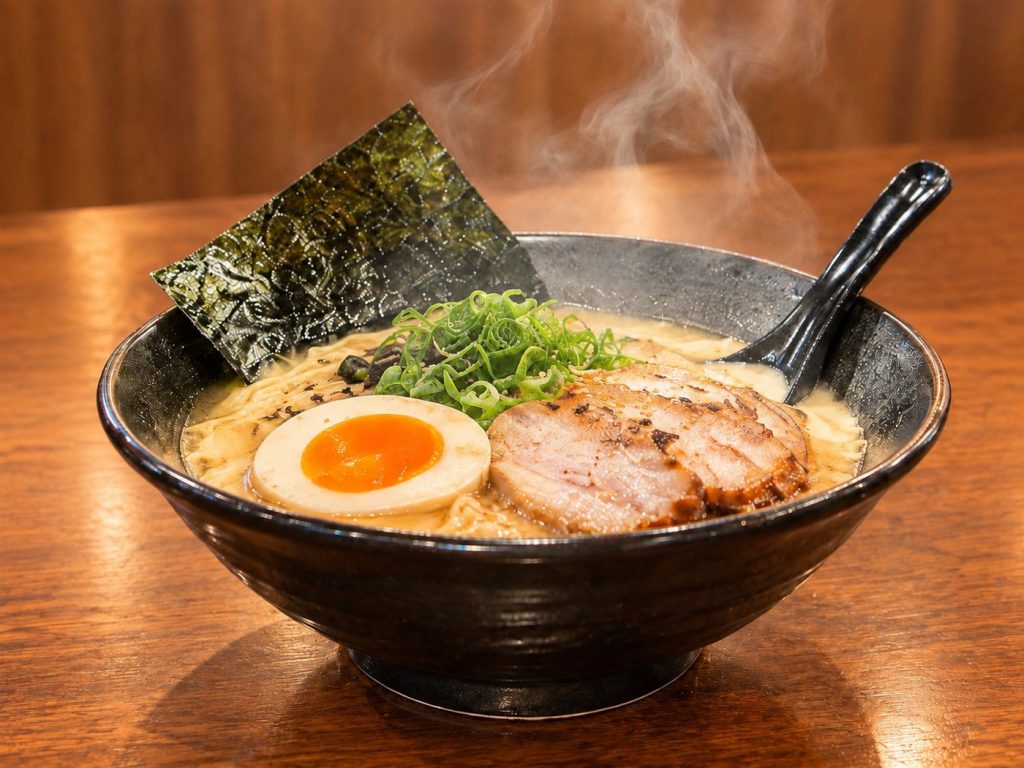
Every kind of shot has one of these. Steam for hot food, condensation for a cold drink, a catchlight in an eye, a little dust in a shaft of light. It is usually the last round, and it is usually the one that makes the image look like someone meant it.
When the fix does not take
Sometimes you ask for a change and get back something that ignored you, or changed three other things on the way. Three things to try, in order:
- Rephrase it physically. "Make it feel calmer" has no handle. "Remove two objects and soften the shadows" does.
- Split it. If one instruction contains two changes, the model will often do one and drop the other. Two rounds beats one compound sentence.
- Go back rather than forward. If you are four rounds deep and drifting, branch from an earlier round instead of pushing on. Each round re-renders the whole image, so small discrepancies accumulate — at some point you are correcting corrections.
The limit worth knowing
Refinement fixes things that are nearly right. It is not a repair tool for an image whose composition is fundamentally wrong. If the shot is the wrong idea — wrong setting, wrong angle, wrong mood — a fresh opening prompt costs one round, and six corrections cost six and usually end somewhere muddy.
The honest test: after each round, ask whether you are closer than you were. If two rounds in a row have not moved you forward, stop correcting and start over.
Start with 300 free credits — no card required