A thumbnail is not a photograph. It is a photograph that has to survive being shrunk to about 210 pixels wide and shown next to nine others.
That is a composition problem, and composition is the thing text-to-image tools are worst at taking direction on. You cannot reliably say “and make the subject big enough to read at thumbnail size” in a prompt, because the model has no idea how small it will end up.
What you can do is look at the result and say bigger. Here is a real four-round run on one image.
Round 1 — a good photo, a bad thumbnail
Photograph of a pair of hands assembling a small wooden shelf on a workshop bench, hand tools scattered around, bright even light, no text
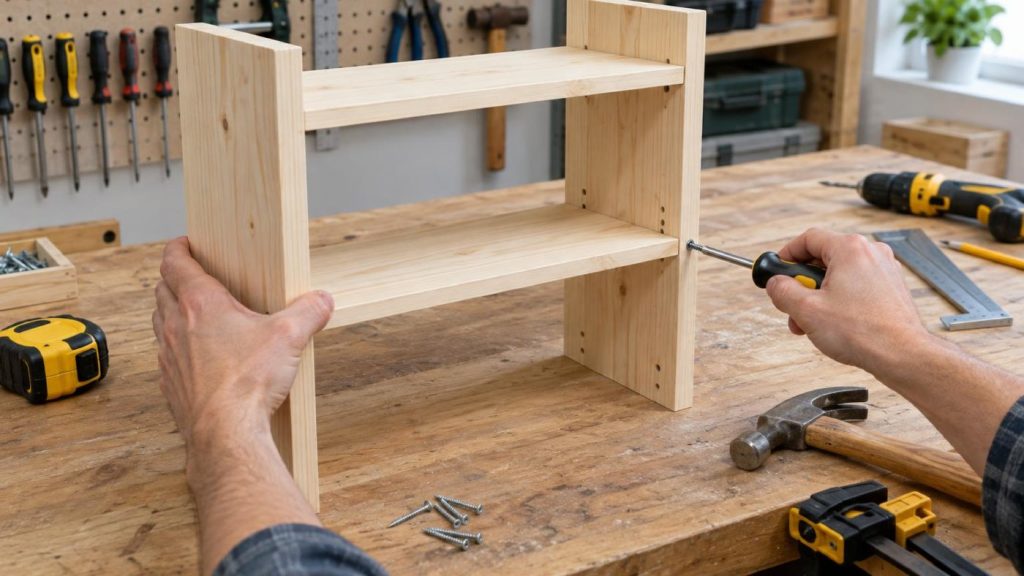
Nothing wrong with it as a photo. As a thumbnail it fails: the shelf is one of about fifteen objects competing for attention, and at 210 pixels the screwdriver wall, the drill, the clamp and the hammer all dissolve into texture.
Round 2 — make the subject big
Make the hands and the shelf much bigger in the frame
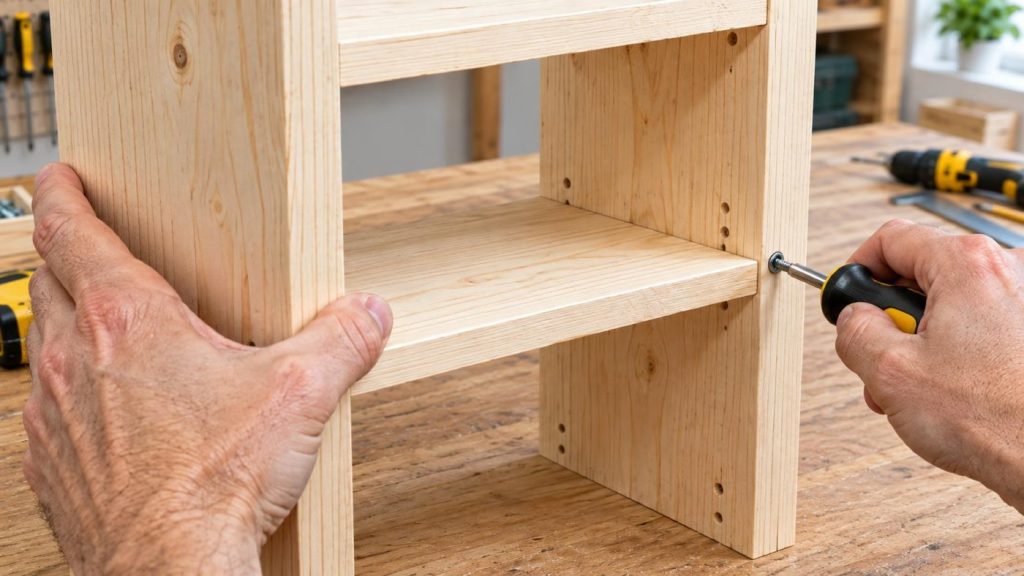
This is the single highest-value correction for thumbnails and it is almost always the first one. Notice the background did not get replaced — the pegboard, the toolbox, the window and the plant are all still there, just pushed out of the way.
Round 3 — carve out somewhere for the text
Clear the right third of the image so text can be placed there
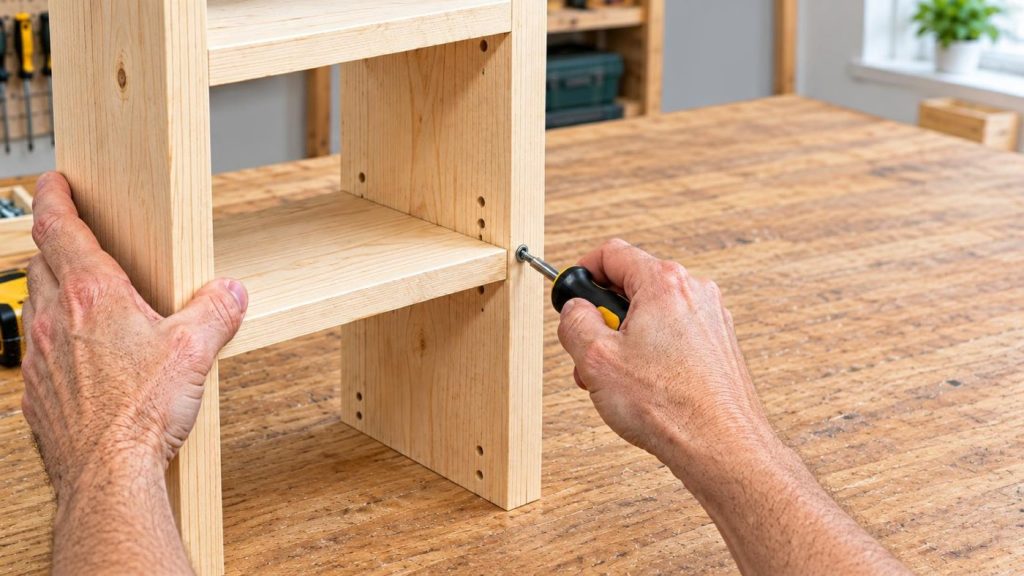
The right third is now plain workbench. That is a deliberate hole for your title to sit in, cut into an image that already exists — which is a different thing from asking for “negative space on the right” in a fresh prompt and hoping.
Do not ask the model to write the title into the picture. Put the words on in your editor, where you can change them without regenerating anything. We went through the reasoning for that in the piece on header images with copy space.
Round 4 — the one we would undo
Punch up the contrast and the colours so it reads well as a small thumbnail
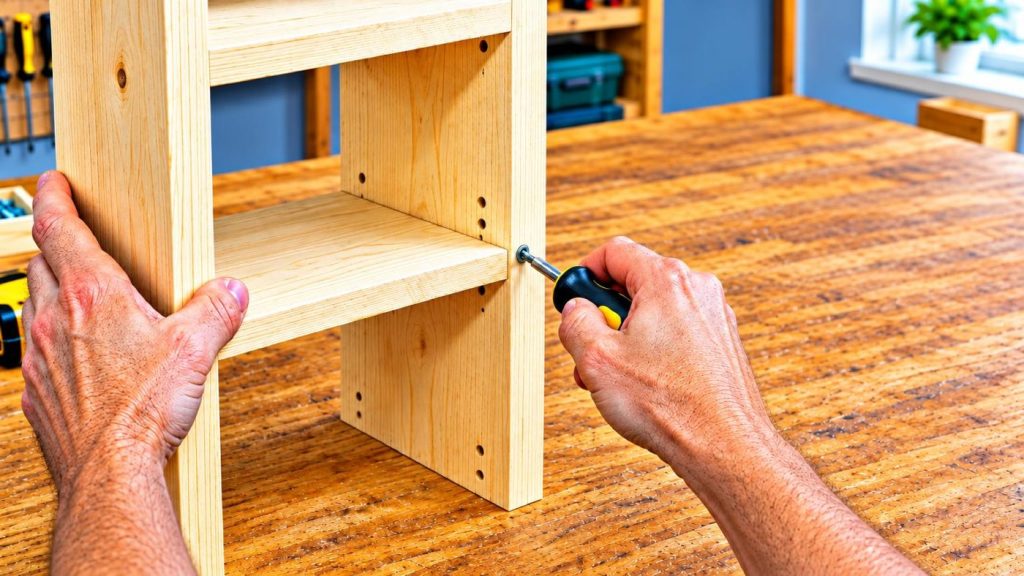
It did what we asked, and we asked for too much. The wall has gone blue, the wood is oversaturated, and the whole frame has that slightly plasticky over-processed look. At full size it is worse than round 3.
We are leaving it in because this is the most useful thing in the article. Vague intensity words — punch up, boost, make it pop — get taken literally and taken far. Two things fix it:
- Say how much. “Slightly more contrast” behaves very differently from “punch up the contrast.”
- Go back, do not pile on. Adding “okay, less” on top of an overcooked image tends to give you a fourth flavour rather than the third one back. Return to round 3 and branch from there.
That second point is the practical argument for working in a chain you can step back through: a bad round should cost you one round, not the whole sequence.
A short checklist
- Get one decent photo. Do not over-engineer round 1.
- Make the subject much bigger. Almost always needed.
- Clear a corner or a third for the title.
- Adjust colour with a stated amount, or skip it.
- Add the text yourself, outside the image.
What this does not do
It does not know your channel. It does not know that your audience clicks on faces, or that your last three uploads used a red border, or what your competitors’ thumbnails look like this month. Click-through is a strategy question and the model has no opinion on it.
It also cannot put your face in the frame from a text description. If your thumbnails depend on you being in them, you need your own photo as the starting image — which is image-to-image editing, the same loop, starting from something real.
Start with 300 free credits — no card required