An avatar made from a photo is not a generation job. It is a conversion job: there is already a face, and you want it drawn differently.
That distinction decides which tool can do it. Describe yourself in a prompt — “curly dark hair, mid thirties, yellow sweater” — and you will get a person matching that description. Not you. Someone. The description is a category and your face is one member of it, which is the same ceiling the image-to-prompt round trip runs into.
Round 1 — the starting portrait

An important caveat before anything else: this portrait is itself generated. It is not a photograph of a real person. We will come back to why that matters, because it is the weakest part of this test.
Round 2 — change the medium, keep the person
Turn this into a flat vector illustration avatar, keep the hair shape and the sweater colour

This is the part that works well. The curl pattern is the same curl pattern — not generic curly hair, the same shapes falling the same way. The gold hoops survived. The sweater is the same mustard, and even the ribbed knit is still legible. The face is recognisably the same face, redrawn.
That happens because the model is editing an image rather than imagining a person. Nothing was reconstructed from a description, so nothing had to be guessed.
Round 3 — make it work as a profile picture
Crop tighter to head and shoulders and put a solid teal circle behind
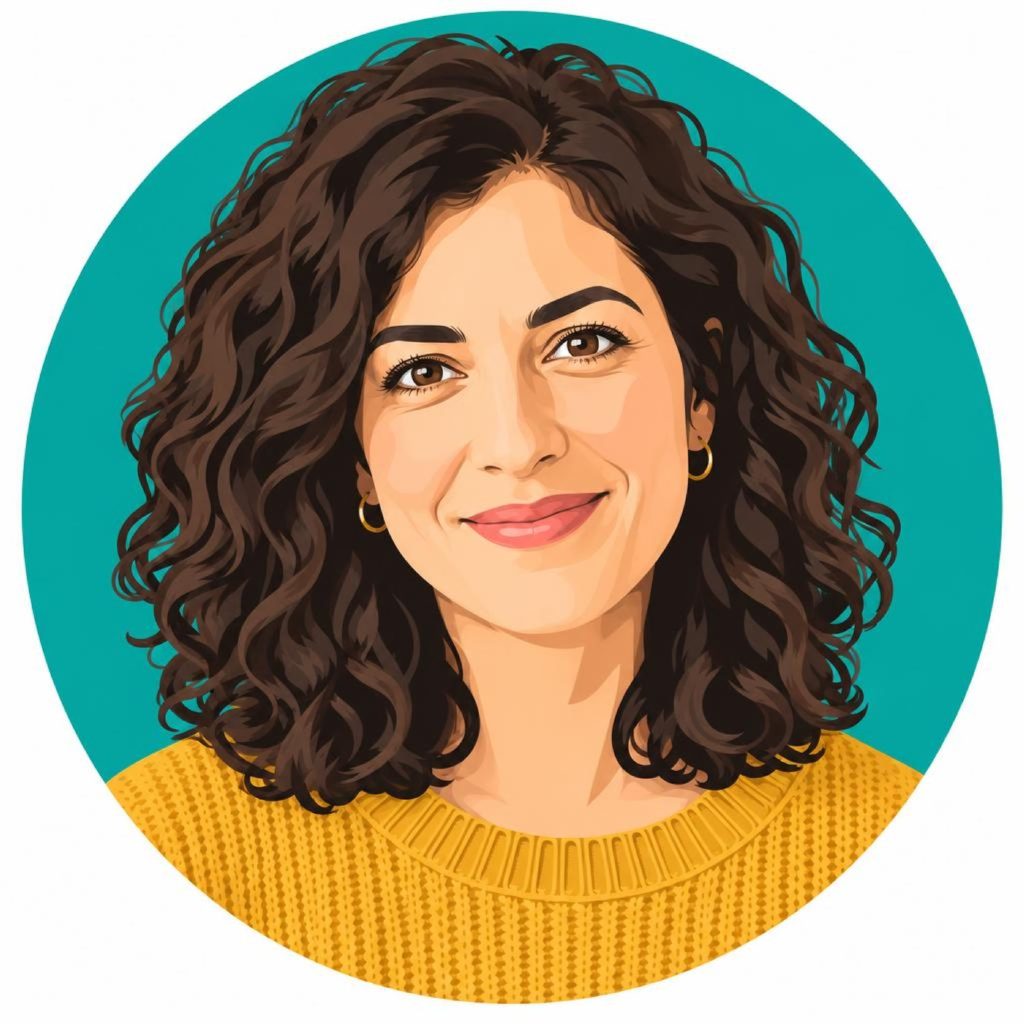
Half a success, and worth reporting as such. The teal circle arrived exactly as asked. The “crop tighter” part only barely happened — the framing moved in slightly, nowhere near the tight head-and-shoulders crop a profile picture usually wants.
This is a recurring pattern: composite instructions tend to get their concrete half executed and their vague half approximated. Put a teal circle behind is concrete. Crop tighter is relative — tighter than what, by how much? Split them into two rounds, or give a measurable version: “crop so the head fills most of the frame.”
The part we could not test, and you should
Everything above starts from a generated face. Generated faces are, frankly, the easy case: they tend to sit near the middle of what the model finds natural to draw, so a style change has little to pull them away from.
A real photograph of a real person is harder, and it is harder in exactly the place that matters. What makes someone recognisable is usually a handful of small asymmetries — the set of one eyebrow, a particular nose bridge, the way one side of the mouth moves. Style transfer tends to regularise precisely those features, and the result can be a good illustration of somebody that your friends do not identify as you.
We are not going to claim a result we did not measure. What we can say is how to find out cheaply: run your own photo through one round, at low cost, and show it to someone who knows your face without telling them what it is. If they hesitate, the likeness did not survive, and more rounds will not bring it back.
Two practical notes
- Use photos you have the right to use. Your own face, or one you have clear permission for. Turning someone else’s photograph into an avatar is a permission question before it is a technical one.
- Keep the round you liked. Styles branch — flat vector, watercolour, line art all come from the same source portrait. Branch from the original rather than stacking style on top of style, or you end up with an illustration of an illustration.
The underlying loop is the same one that applies to product shots and thumbnails: start from something real, change one thing, keep what worked. Working image to image is what makes “keep what worked” possible at all.
Start with 300 free credits — no card required